

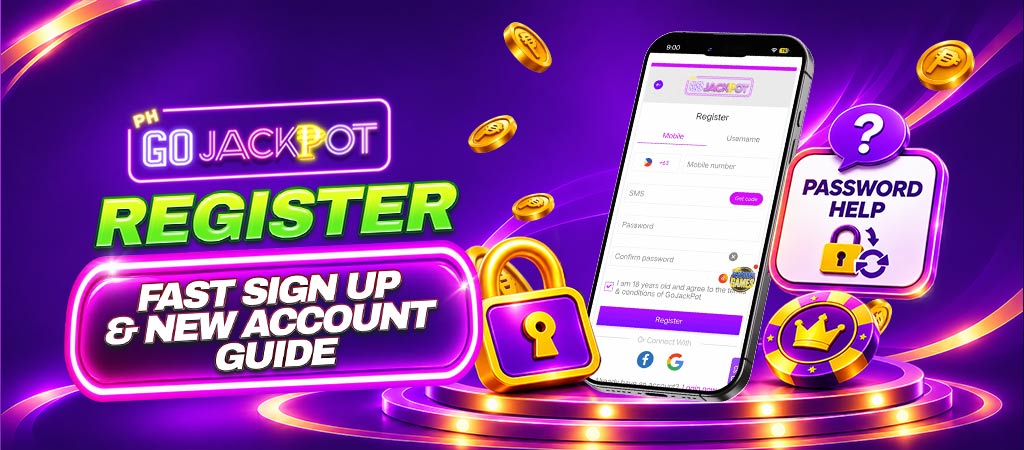
Creating an account is the first step toward exploring the games and features available on an online gaming platform. If you are interested in joining GoJackpot, understanding the registration process can help you get started more easily. The GoJackpot register process is designed to give new users a straightforward way to create an account and access the platform through a compatible device.
Whether you are visiting from a smartphone, tablet, or desktop computer, knowing what to prepare before completing the registration form can make the experience smoother. You should also understand the basic account requirements, password safety practices, and platform rules before submitting your personal information.
In this guide, we will explain how to complete the GoJackpot sign up process, what information you may need, how to avoid common registration mistakes, and what to check after creating your account. Our goal is to provide clear instructions so you can understand each step before getting started.
Why Proper Account Setup Matters for Gaming Security
Before you initiate a Go Jackpot sign up, it is important to understand why modern gaming platforms enforce structured onboarding procedures. Online gaming involves real-time transactions, personal identity data, and account balances that require robust protection against unauthorized access.
A properly executed GoJackpot signup establishes three foundational layers of protection:
- Identity Integrity: Accurate registration details ensure that only you can claim ownership of your account, pass Know Your Customer (KYC) checks, and authorize withdrawals.
- Encrypted Session Protection: Modern gaming platforms utilize SSL encryption and secure registration forms to safeguard data submitted during account creation.
- Fair Play & Anti-Fraud Compliance: One-account-per-player policies prevent bonus abuse, multi-accounting, and automated bot interference, maintaining a fair environment for all participants.
Taking sixty seconds to enter verified, accurate information during your initial GoJackpot instant register prevents account freezes, delayed payouts, and verification bottlenecks later on.
Pre-Registration Checklist: What You Need Before You Start
To make your GoJackpot register now experience as smooth as possible, gather the following essentials before opening the registration portal:
- Active Mobile Number or Email Address: You will need a reachable contact method to receive One-Time Passwords (OTPs) or account activation links.
- Unique Username: Choose a distinct handle that does not expose sensitive personal details like your full legal name or birth date.
- Strong, High-Entropy Password: Combine uppercase and lowercase letters, numbers, and special characters (at least 12 characters recommended). Avoid reusing passwords from your email, banking, or social media accounts.
- Valid Government-Issued ID (For Later Verification): While basic sign-up takes less than a minute, keeping a valid ID ready ensures seamless KYC verification when you are ready to manage account limits or process withdrawals.
- Secure Internet Connection: Always complete your GoJackpot sign up today over a trusted private Wi-Fi network or mobile data connection rather than public, unsecured hotspots.
Preparing these details in advance can make your GoJackpot register now process more convenient. Always use accurate information and protect your login details to help keep your account secure.
Step-by-Step GoJackpot Register Guide (Under 1 Minute)
The onboarding interface is designed for mobile and desktop browsers alike, streamlining data entry so new users can get started quickly. Follow these sequential steps to complete your GoJackpot registration:
Step 1: Verify the Official Domain
Navigate directly to the official platform URL (https://www.GoJackpot8.com) by typing it into your browser address bar or using a trusted bookmark. Look for the padlock icon in your browser’s address bar to confirm that an active HTTPS/SSL certificate is encrypting your connection before entering any information.
Step 2: Locate the Registration Button
On the homepage header typically positioned in the top-right corner on desktop or in the primary navigation bar on mobile, select the Register or Sign Up button to launch the Go Jackpot fast sign up form.
Step 3: Enter Your Core Account Credentials
Fill in the required fields accurately:
- Username: Create a memorable alphanumeric username (usually 6–16 characters).
- Password: Enter your strong, unique password and confirm it in the second password field to prevent typos.
- Contact Information: Input your active mobile number (including the correct country code) or primary email address.
Step 4: Add Referral or Promo Codes (Optional)
If you received an invitation code from a friend or an official promotional campaign, enter it in the designated referral box during your GoJackpot signup. Ensure the code is spelled accurately, as referral tags generally cannot be applied retroactively once the account is created.
Step 5: Review Terms, Age Eligibility, and Security Policies
Confirm that you meet the legal age requirement for online gaming in your jurisdiction (typically 21+ in the Philippines or 18+ depending on local regulations). Take a moment to review the platform’s Terms of Service, Privacy Policy, and Responsible Gaming guidelines.
Step 6: Complete OTP Verification and Submit
Click the Register Now or Create Account button. If two-step verification is triggered at sign-up, enter the 4-to-6-digit SMS or email verification code sent to your device. Once confirmed, your Go Jackpot instant register is complete, and you will be logged directly into your new member dashboard.
Post-Registration Security Hardening
Completing the GoJackpot register form is only the first step in securing your profile. Immediately after logging in for the first time, navigate to your Account Security or Profile Settings menu and implement the following safeguards:
| Security Feature | Purpose | Recommended Action |
| Two-Factor Authentication (2FA) | Blocks unauthorized logins even if your password is compromised. | Link an authenticator app or enable SMS OTP verification for every login and withdrawal. |
| Transaction PIN / Withdrawal Password | Separates login access from fund movement. | Set a unique 6-digit PIN that differs from your main account password. |
| Phone & Email Binding | Establishes verified recovery channels. | Verify both your mobile number and email address so you never lose account access. |
| KYC Identity Verification | Protects against identity theft and speeds up payouts. | Upload clear photos of a valid government ID early rather than waiting until your first withdrawal. |
| Login Activity Alerts | Notifies you of unrecognized device logins. | Keep email or SMS security notifications enabled in your account preferences. |
How to Spot and Avoid Phishing Clones
Because popular gaming brands frequently attract lookalike domains, practicing strict URL hygiene is critical for gaming security:
- Check Spelling Carefully: Scammers often register domains with extra numbers, hyphens, or swapped letters. Always double-check that you are on the exact intended URL.
- Never Share OTPs: Legitimate customer support agents will never ask for your password, transaction PIN, or SMS verification codes via chat, social media, or phone calls.
- Avoid Third-Party APK Downloads: Only download mobile web shortcuts or applications directly from official, verified platform links.
Always review your account security settings and keep your login details private. These simple steps can help reduce security risks and protect your GoJackpot account from unauthorized access.
Exploring Game Categories After Your GoJackpot Sign Up
Once your GoJackpot fast sign up is finished and your account security settings are configured, you can explore the platform’s core entertainment sections:
- Jackpot & Video Slots: Browse classic three-reel machines, modern video slots with cascading reels, and progressive or must-drop jackpot titles. Always check each title’s Return to Player (RTP) percentage and volatility rating to match your preferred risk level.
- Sports Markets: Access pre-match and live in-play betting markets across basketball, football, tennis, esports, and regional tournaments, complete with real-time odds updates.
- Poker & Table Formats: Engage in digital and live table classics, including poker rooms, baccarat, blackjack, and roulette, each governed by published table limits and hand rules.
- Arcade & Fishing Games: Fast-paced, skill-and-timing-oriented shooter and casual titles that offer an alternative to traditional reel-based gameplay.
Always review your account security settings and keep your login details private. These simple steps can help reduce security risks and protect your GoJackpot account from unauthorized access.
Troubleshooting Common GoJackpot Registration Issues
Even with a streamlined GoJackpot instant register system, occasional technical hiccups can occur. Use the solutions below to resolve the most frequent sign-up obstacles:
OTP Verification Code Not Arriving
- Check Signal & Spam Folders: Ensure your mobile device has cellular reception (not airplane mode) or check your email’s Spam/Junk/Promotions tabs.
- Verify Formatting: Confirm you did not include a leading zero if the country code dropdown already supplies it (for example, entering 917XXXXXXX instead of 0917XXXXXXX when +63 is selected).
- Wait for Cooldown: Avoid clicking “Resend Code” repeatedly, as rapid requests can temporarily throttle SMS delivery. Wait 60 seconds before requesting a fresh code.
Username or Phone Number Already Registered Error
Online gaming platforms strictly enforce one account per individual, household, or IP address. If your mobile number or email is already associated with an account, do not attempt to create a duplicate profile. Instead, use the Forgot Password recovery tool on the login screen to regain access to your existing account.
Registration Form Fails to Submit
- Clear Browser Cache or Switch Browsers: Outdated cached scripts or aggressive ad-blockers can interfere with modern web frameworks. Temporarily disable script blockers or try registering via an updated Chrome, Safari, or Edge browser.
- Check Password Criteria: Ensure your password meets all character requirements and contains no unsupported spaces or emojis.
Geo-Restriction or Access Warnings
Online gaming services operate under specific regional licensing frameworks. If you are traveling or using a VPN/proxy service, your connection may be blocked by automated security filters. Disable any VPN before attempting to complete your GoJackpot register now steps.
Responsible Gaming & Account Safety Best Practices
Maintaining control over your gaming experience is just as important as securing your login credentials. Every player completing a GoJackpot signup should establish clear personal boundaries from day one:
- Set Strict Deposit and Loss Limits: Decide in advance how much entertainment budget you can comfortably afford, and never chase losses.
- Use Time Management Reminders: Schedule regular breaks during extended gaming sessions to maintain perspective and avoid fatigue-driven decisions.
- Never Share Account Access: Allowing friends or family members to log into your account violates platform terms and compromises your financial security.
- Verify Platform Reputation & Licensing: Always perform due diligence on any online gaming site before depositing funds, verifying active regulatory credentials and reading independent security assessments.
Responsible gaming and good account security go hand in hand. Stay within your limits, protect your login details, and make informed decisions whenever you use an online gaming platform.
Conclusion
Understanding the GoJackpot register process is an important first step for anyone researching how to create a new online gaming account. From locating the registration section to preparing your information, choosing a secure password, and reviewing the terms, each stage deserves attention.
A smooth GoJackpot sign up experience should involve clear instructions, transparent account requirements, and appropriate security measures. Preparing your information and checking the form carefully can also help prevent common registration mistakes.
However, speed should never be more important than security. Before using the supplied website, independently verify its authenticity, operator details, licensing status, and privacy practices. Do not submit personal information or deposit funds if these details cannot be established.
Responsible Gambling Reminder
Always set deposit limits and wager only what you can afford to lose. Gambling is meant for entertainment purposes.
