
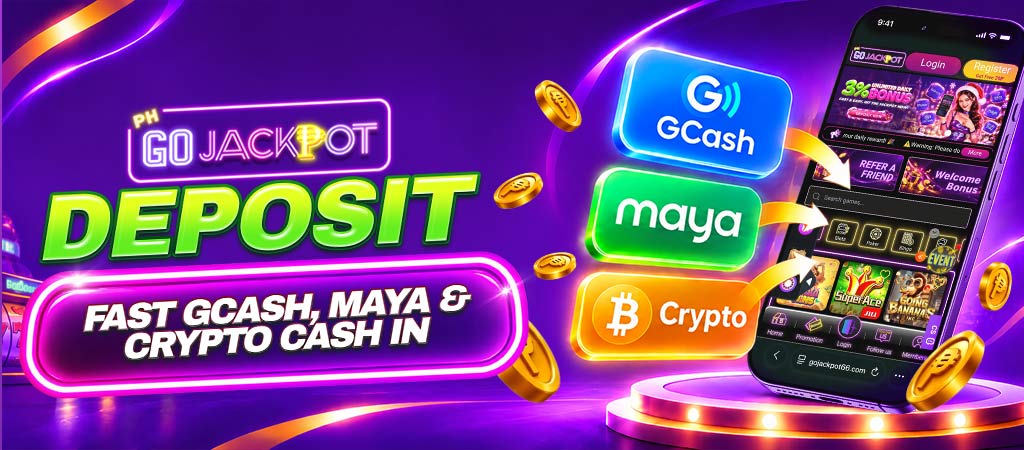
Making a deposit should be simple and convenient when you want to enjoy online games. With GoJackpot, you can explore the available payment options and choose a suitable way to add money to your account. Whether you prefer using GCash, Maya, online banking, or cryptocurrency, the deposit process is designed to help you fund your account without unnecessary steps.
The GoJackpot deposit process starts by logging in to your account and opening the cashier section. From there, you can check the available payment methods, enter your preferred amount, and follow the payment instructions. You can also review the minimum deposit limit before sending money.
If you are new to the platform, this guide will help you understand how to make a deposit, choose a payment method, and avoid common transaction problems. You will also learn what to check when your payment takes longer than expected.
Why a Smooth Cash In Process Matters for Your Gaming
Before playing slots or joining a live table, you need to add funds to your account. A smooth payment process helps make this step simple, secure, and convenient. With GoJackpot cash in, you can choose from available payment methods such as GCash, Maya, bank transfers, or cryptocurrency, depending on the platform’s current options. Fast payment processing can reduce waiting time and help your balance update sooner after a successful transaction. This means you can spend less time dealing with payment delays and more time enjoying the games you choose to play.
Payment flexibility also gives you better control over your transactions and budget. You can use an e-wallet for everyday convenience, a bank account for direct transfers, or digital coins if supported by the platform. However, it is important to check the minimum and maximum deposit limits, processing times, and any applicable fees before sending money. When completing a GoJackpot make a deposit request, always follow the payment instructions carefully, enter the correct reference details, and confirm that the recipient information matches the official payment page. These simple steps can help prevent failed transactions, unnecessary delays, and payment errors while keeping your funds properly managed.
Understanding Minimum Limits and Budget Control
Starting with a small deposit is a practical way to explore online gaming without committing too much money. Choosing a GoJackpot low minimum deposit option allows you to try different games, check the platform’s performance, and enjoy short sessions while keeping your spending manageable.
A suitable GoJackpot minimum deposit helps you stay within your budget without putting too much money into your account. You can begin with a small amount and choose the GoJackpot lowest deposit option available. Set a daily or weekly spending limit, and only deposit what you can comfortably afford to lose. Never feel pressured to add more money than planned.
Minimum deposit requirements may vary depending on your payment method:
- E-Wallets (GCash and Maya): Often offer convenient top-ups with relatively low starting limits.
- Online Banking: Bank transfers may have different minimum requirements depending on the bank and payment service.
- Cryptocurrency: Bitcoin and other digital currencies may have minimum transfer amounts and network fees to consider.
Before completing a transaction, check the cashier page for the latest minimum and maximum deposit limits for your chosen payment method.
Using GCash for Fast and Easy Mobile Payments
In the Philippines, GCash is the go-to mobile wallet for millions of people. It sits right on your phone, works with a quick PIN or fingerprint scan, and connects easily to online services. Using GoJackpot GCash options is one of the fastest ways to get started.
When you choose a GoJackpot GCash deposit, you do not have to type in long card numbers or share sensitive bank passwords with the gaming site. Everything happens through secure mobile verification. You simply pick GCash in the cashier menu, enter the amount you want to add, and approve the request inside your GCash app using your One-Time PIN (OTP) and MPIN.
Here is why so many players stick to Go Jackpot GCash transfers:
- Instant Crediting: Once you tap pay in your app, the money usually shows up in your gaming wallet within moments.
- Easy Tracking: Every transaction leaves a clear receipt in your GCash inbox, making it easy to track how much you have spent over the week.
- High Security: GCash uses two-factor authentication, biometrics, and real-time fraud monitoring, which adds a strong shield around your money.
To make sure your GoJackpot GCash deposit goes through without a hitch, always make sure your GCash account is fully verified and that you have enough balance to cover the transfer. Also, avoid using public Wi-Fi when entering your MPIN or OTP. Stick to your mobile data or a trusted home network.
How to Fund Your Account Using Maya
Maya is a convenient digital wallet in the Philippines that lets you make online payments directly from your smartphone. If you already use it for everyday transactions, GoJackpot maya payments can also provide a familiar way to add funds to your account, depending on the available payment options.
To make a GoJackpot maya payment, log in to your account and open the deposit section. Select Maya if it is listed as an available payment method, enter your desired amount, and follow the instructions to complete the transaction through the Maya app or secure checkout page. Always check the payment details before confirming.
Here are a few tips for a smoother GoJackpot fund with maya experience:
- Update Your App: Use the latest Maya version to help avoid payment errors or loading issues.
- Check Your Limits: Make sure your wallet has enough balance and that you have not reached its transaction limits.
- Keep Your Receipt: Save your payment confirmation and reference number in case you need help tracking a delayed transaction.
Using Maya can make deposits more convenient when the option is supported. Always confirm that the funds have arrived in your account before making another payment, and contact customer support if a transaction remains pending.
Traditional Safety with Online Banking and Bank Transfers
For players who prefer traditional payment methods, online banking and bank transfers offer a familiar way to manage deposits. With GoJackpot online banking, you can transfer funds from your local bank account through supported payment channels without visiting a branch or completing paper forms. Simply use your bank’s official website or mobile app to authorize the transaction.
Depending on your bank and the available payment options, you may be able to choose from several transfer methods:
- GoJackpot Instant Bank Transfer: Using real-time payment networks like InstaPay, eligible transfers can arrive within seconds, even on weekends and holidays. Actual processing times depend on the banks and payment provider.
- GoJackpot Direct Bank Transfer: This option allows you to send money from your checking or savings account through an authorized payment gateway. Follow the instructions and approve the transaction using your bank’s required security verification.
- GoJackpot Wire Transfer: For larger payments, traditional bank transfers may be available. Processing can take several hours or up to one business day, depending on the bank, transfer method, and cut-off times. PESONet payments are generally processed in batches rather than instantly.
Before making a GoJackpot bank transfer, carefully check the receiving account details, deposit amount, and reference number displayed on the cashier page. Always generate a fresh payment request instead of reusing old bank details, as receiving information may change. Never share your banking password, OTP, or security codes with anyone.
Modern Privacy with Crypto and Bitcoin Deposits
Cryptocurrency offers another convenient way to move money online without relying on traditional banking services. If you already own digital assets, a GoJackpot crypto deposit can provide a flexible payment option that works around the clock, depending on network conditions.
With a GoJackpot bitcoin deposit, you can send funds directly from your crypto wallet to the deposit address provided on the platform. Blockchain networks operate 24/7, so transactions can be submitted at any time. Once the network confirms your payment and the platform processes it, the funds should appear in your gaming balance.
Here are some reasons players consider using crypto deposits:
- More Payment Privacy: You do not need to enter your bank account or e-wallet details when sending crypto. However, blockchain transactions are publicly recorded and are not completely anonymous.
- Flexible Transfers: Crypto allows online payments without depending on local banking hours, although network fees and deposit limits may apply.
- Cryptographic Security: Blockchain technology uses cryptography to protect transaction records and prevent unauthorized changes.
Before making a Go Jackpot bitcoin deposit, check these two important details:
- Verify the Wallet Address: Copy the exact deposit address or scan its official QR code. Double-check it before sending, as crypto transfers are generally irreversible.
- Choose the Correct Network: Make sure your wallet uses the exact blockchain network specified on the deposit page. Sending funds through an unsupported network could result in lost funds.
After submitting your payment, wait for the required blockchain confirmations. Processing time depends on network traffic and the platform’s payment procedures. Check your deposit history if the balance does not update immediately.
Step-by-Step Guide: How to Make a Deposit Safely
No matter which payment method you like best, the basic steps to Go Jackpot deposit funds are simple and easy to follow. Taking your time through these five steps ensures your money arrives quickly and safely every time.
Step 1: Log In Through the Official Website
Always make sure you are on the real website before entering your username and password. Check your browser’s address bar for the secure padlock icon (https://) and avoid clicking random links sent through unknown text messages or social media comments.
Step 2: Open the Cashier or Deposit Page
Once you are inside your account dashboard, look for the clearly marked Deposit or Cash In button. Clicking this opens the secure payment menu where all active payment channels are listed.
Step 3: Pick Your Payment Method
Choose between GCash, Maya, online banking, or Bitcoin based on what works best for you right now. Take a quick look at any notices next to the option—for example, if a specific bank is undergoing short overnight maintenance, you can easily pick an e-wallet instead.
Step 4: Enter Your Deposit Amount
Type in how much you want to add. Make sure the number falls within the minimum and maximum limits shown on the screen. If you plan to claim a welcome bonus or reload promo, check the minimum deposit required for that specific offer before you confirm.
Step 5: Complete Verification and Save Your Proof
Follow the on-screen prompts to finish paying via your GCash app, Maya app, bank portal, or crypto wallet. Enter your OTP or approve the biometric prompt. Once the screen shows “Success,” take a quick screenshot of the receipt and return to your gaming lobby to see your updated balance.
Gaming Security Practices That Protect Your Money
Keeping your money and personal information safe should be a priority whenever you make a GoJackpot deposit. A secure gaming platform combines data protection, reliable payment processing, and account monitoring to reduce the risk of fraud and unauthorized access. However, your own security habits are equally important.
How the Platform Protects Your Transactions
- SSL Encryption: Encryption helps protect your personal and payment details while they are being transmitted online, making them harder for unauthorized parties to access.
- Verified Payment Gateways: Reliable payment processors help handle GCash, Maya, and bank transactions through secure payment channels. Always check that you are using the platform’s official payment instructions.
- Account Monitoring: Security systems can detect unusual login activity or suspicious transactions and flag them for further checks to help prevent unauthorized access.
How You Can Keep Your Account Safe
You can add another layer of protection by following these simple security practices:
- Never Share Your OTP or MPIN: Never give anyone your GCash MPIN, Maya password, bank OTP, or crypto wallet recovery phrase. Legitimate support agents should not ask for these confidential details.
- Use Strong, Unique Passwords: Create a password that combines uppercase and lowercase letters, numbers, and symbols. Avoid reusing passwords from your email or banking accounts.
- Use Your Own Payment Accounts: Deposit through a GCash, Maya, or bank account registered under your name. Third-party payments may trigger verification checks or cause withdrawal delays.
- Avoid Shared Devices: Whenever possible, use your personal device to access your account. If you use a shared computer or phone, never save your password and always log out afterward.
Protecting your GoJackpot account requires both reliable platform security and responsible personal habits. Always use official payment channels, keep your login details private, and review every transaction before confirming it. These simple steps can help reduce security risks and make managing your account safer.
Solving Common Deposit Issues Quickly
Even with the best technology, small hiccups can happen from time to time—usually because of a weak mobile signal or brief bank maintenance. Knowing how to handle these moments keeps you calm and gets your issue fixed fast.
- The Money Left My Wallet, But My Game Balance Has Not Updated: First, wait two to three minutes and refresh your browser page. Sometimes internet lag delays the final confirmation signal. If it still does not show up after five minutes, open live chat support and share your transaction screenshot showing the exact amount, date, time, and reference number.
- My Payment Failed or Timed Out: Check your internet connection and verify that you have enough balance in your GCash, Maya, or bank account (including any small transfer fees your bank might charge). Also check if you typed the OTP within the time limit before it expired.
- I Sent Less Than the Minimum Limit: Always check the minimum requirement before sending money. If you accidentally send an amount below the allowed minimum, contact customer support right away with your receipt so they can check your transaction status and guide you on the next steps.
Handling deposit issues early and keeping your payment receipts can make the resolution process easier. Always use verified payment details and contact official support if a transaction remains pending or unsuccessful.
Conclusion
Funding your gaming account should never feel complicated or risky. When you understand how to make a Go Jackpot deposit properly, you get fast access to your games while keeping full control over your budget and personal safety.
Whether you love the everyday convenience of GCash and Maya, the solid reliability of local online banking, or the modern privacy of Bitcoin, you have safe, low-minimum options ready whenever you want to play. Stick to official links, protect your login codes, start with amounts that fit your budget, and enjoy a smooth, worry-free gaming experience.
Responsible Gambling Reminder
Always set deposit limits and wager only what you can afford to lose. Gambling is meant for entertainment purposes.
